> For the complete documentation index, see [llms.txt](/llms.txt)
# Session Management Overview
Browserless gives you two ways to keep state (cookies, localStorage, cache, authentication) across browser connections. Which one to use depends on how long you need to keep the browser alive and whether you know upfront that you need to persist state.
- A Browserless API token from your [account dashboard](https://browserless.io/account/)
- Puppeteer or Playwright installed locally
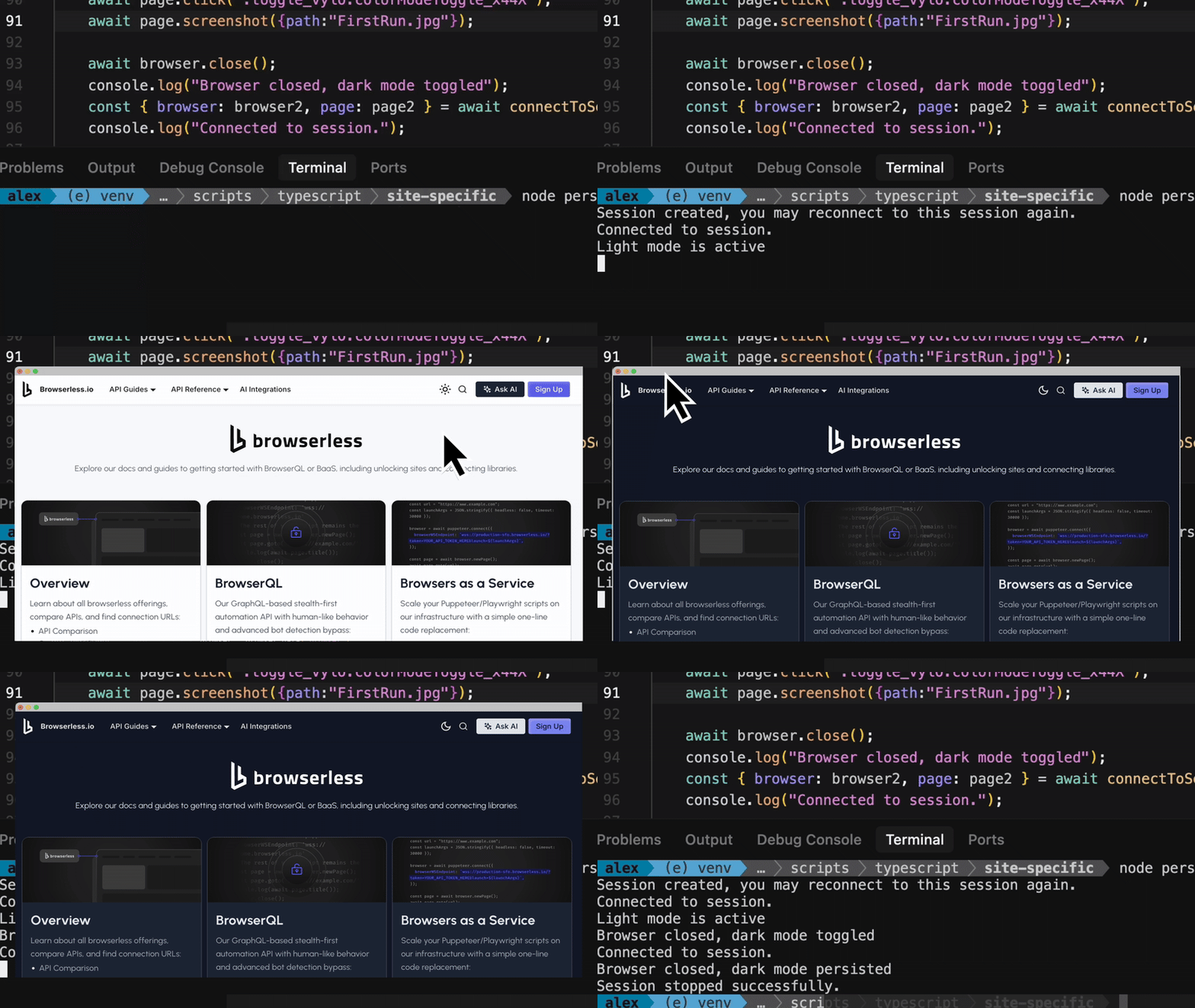
## How Session Persistence Works
When a Puppeteer script connects to Browserless, it gets a remote browser process. By default, Browserless closes that process the moment your connection drops. Session persistence changes that behavior.
### Standard Sessions
Call the CDP command `Browserless.reconnect` mid-script to flag the browser as reconnectable. The server holds the browser process open for a configurable timeout window. Reconnecting within that window drops you back into the live browser exactly where you left it: same page, same scroll position, same in-memory state. The browser is cleaned up once the TTL expires or you close it.
### Persisting State
The Session API lets you create browser sessions via REST, returning a set of URLs and a WebSocket endpoint you use to connect and manage the session lifecycle. Data (cookies, localStorage, cache) persists for days across browser restarts in an isolated `userDataDir`, the same Chrome mechanism used for user profiles, provisioned per-session by Browserless for isolation across shared fleets.
## Choosing an Approach
| | Standard Sessions | Persisting State |
|---|---|---|
| **How you set it up** | CDP command called mid-script | REST API call before connecting |
| **State survives** | While browser process is running (up to 5 min timeout) | For days, across full browser restarts |
| **Keep browser process alive** | Built-in, up to 5 min | Optional via `processKeepAlive` |
| **Library support** | Puppeteer only (requires `browser.disconnect()`) | Puppeteer, Playwright, or any other library |
| **Session lifetime** | Short: seconds to a few minutes | Long: hours to days |
| **Control** | Decide mid-execution whether to persist | Define lifecycle upfront with explicit TTL |
| **Management** | No separate create/delete step | Create and delete via HTTP |
**Use Standard Sessions when:**
- You're already in a running Puppeteer script and want to conditionally keep the browser alive mid-execution.
- Your disconnection window is short: you'll reconnect within seconds or a few minutes.
- You don't need state to outlast the browser process.
**Use Persisting State when:**
- You need cookies, localStorage, or auth state to survive for hours or days.
- You want to create, manage, and terminate sessions through a REST API.
- You need to predefine session configuration (TTL, stealth mode, proxy) before a browser connects.
- You're using Playwright or another library. Playwright lacks `browser.disconnect()`, making Standard Sessions unreliable.
- You want to keep the browser process alive between connections using `processKeepAlive`. See [Keeping Browser Sessions Alive](/baas/session-management/persisting-state#keeping-browser-sessions-alive).
## FAQ & Troubleshooting
Why am I getting a 403 Forbidden error?
Your API token is missing or expired. Pass it as a `?token=` query parameter in the WebSocket or HTTP URL. Verify the token in your [account dashboard](https://browserless.io/account/).
My script works locally but fails on Browserless
Local browser settings may differ from the Browserless environment. Use `launch` parameters to match your local setup (viewport, user agent, timezone). See [launch parameters](/baas/launch-options) for the full list.
## Next steps
Standard Sessions
Keep a browser alive mid-script using the Browserless.reconnect CDP command.
Persisting State
Create long-lived sessions via REST API with data that survives browser restarts for days.