Dashboard overview
The Browserless dashboard at browserless.io/account is where you manage API tokens, track unit usage, invite teammates, and test code against live browsers. This page walks through every page in the sidebar on Cloud Unit plans so you know where to find each tool.
- A Browserless account on a Cloud Unit plan. Sign up for free if you don't have one.
Navigating the dashboard
The sidebar groups pages into three sections:
| Section | Pages |
|---|---|
| Account | Home, Dashboard, API Keys, Users, Email Alerts, Billing |
| Playgrounds | BrowserQL Editor, BaaS Debugger, REST API Playground |
| Tools | Logs, Code Generator, Session Replay, MCP, Profiles, Active Browsers, Extensions |
The bottom of the sidebar shows a Units meter with the units you've used against your plan's allowance, plus a Manage Plan button for changing plans. The button switches to Upgrade Plan when you're close to or out of units. Collapse the sidebar with the arrow at the top left to get more room for the playgrounds.
Account
Home
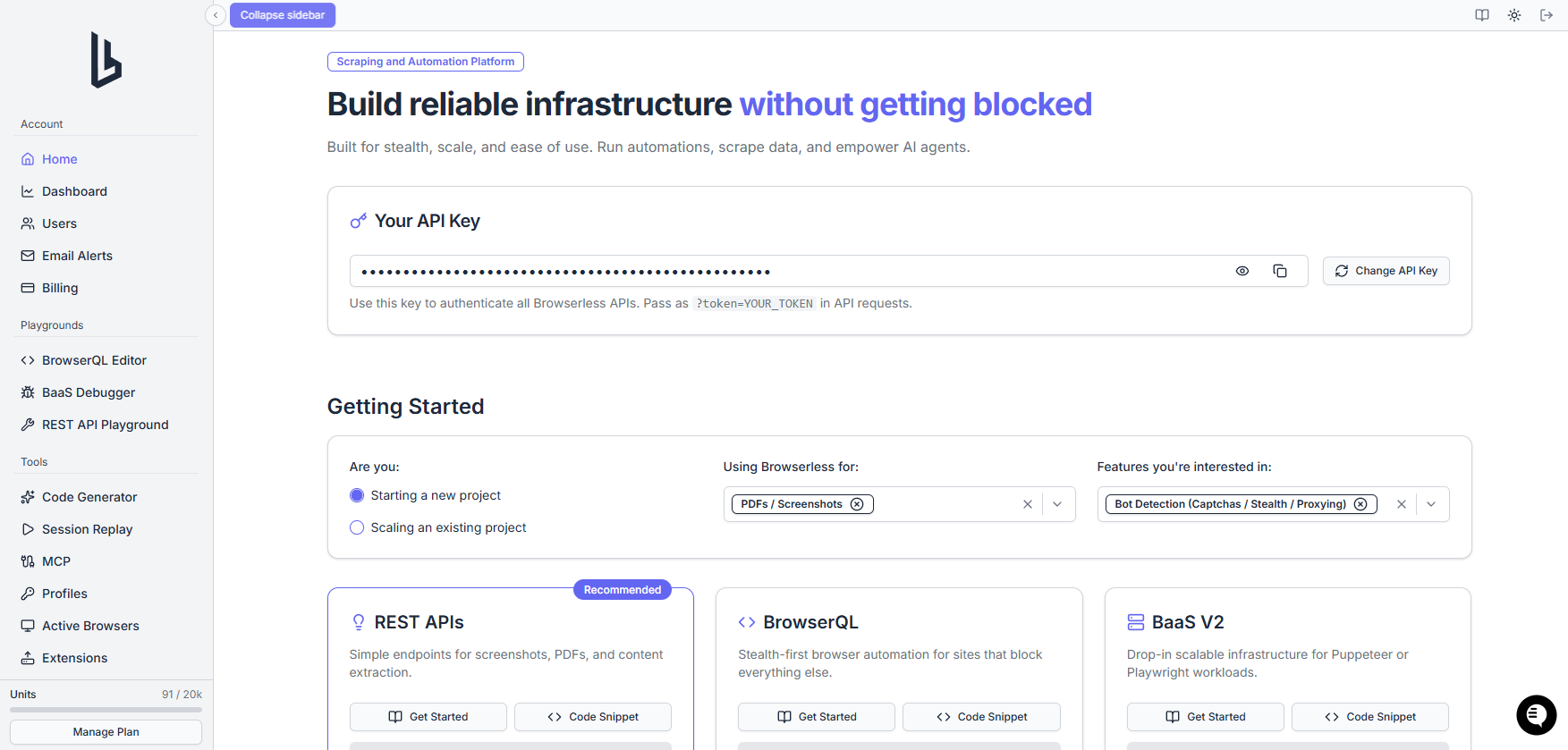
Home is the landing page after you log in. It's built to get you from signup to a first successful request quickly.
- AI assistant prompt: type what you want to build in the "What would you like to build or do?" field to ask the in-app assistant. See AI assistant privacy for how conversations are handled.
- API token card: shows your primary API token (masked until you click the eye icon) with a copy button. Click Manage API keys to open the API Keys page.
- Set up using an AI agent: click Copy prompt to copy a setup prompt, including your live token, that you can paste into Claude, Codex, or Cursor. Click Preview to read the prompt first. The prompt contains your live token, so only paste it into a client you trust and keep it out of shared chats, logs, and repositories.
- Set up yourself: expand this box and pick whether you're starting or scaling a project, what you're using Browserless for, and which features you need. The dashboard then recommends REST APIs, BrowserQL, or BaaS, with links to the matching quickstart and a code snippet.
Dashboard
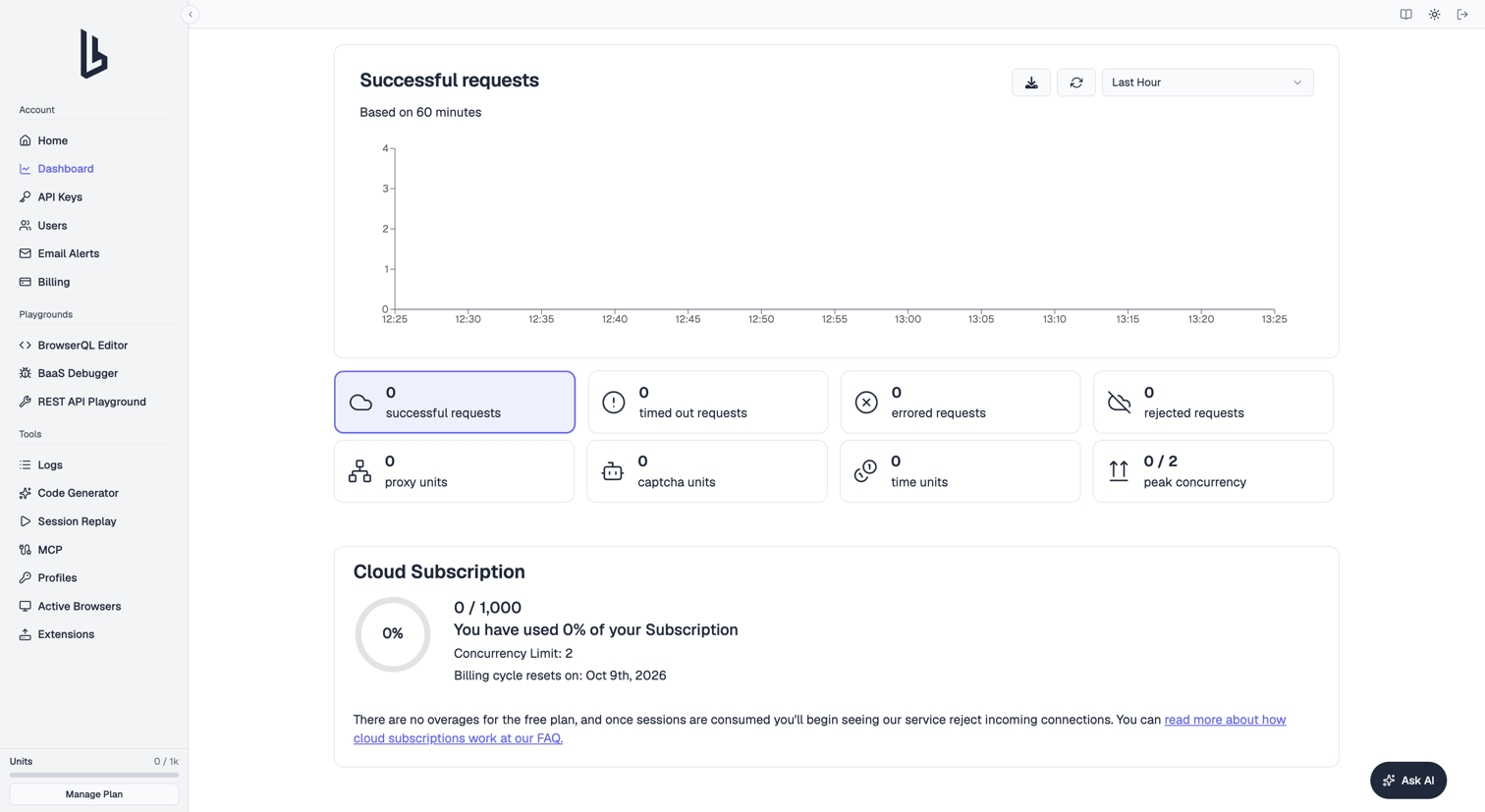
The Dashboard page charts your account's activity so you can spot failures, rejections, and unit spend over time. Data refreshes every five minutes, or immediately when you click the refresh button.
Usage chart. The chart plots whichever metric you've selected below it. Pick a window from the dropdown: Last Hour (60 minutes), Last Day (24 hours), or Last Week (7 days). If your account has more than one API token, a token picker appears next to it so you can view usage for All API keys or a single token. Revoked tokens stay in the list so you can still audit their history.
Status cards. Click a card to chart that metric:
| Card | What it counts |
|---|---|
| Successful requests | Requests that completed normally |
| Timed out requests | Requests that hit their timeout before finishing |
| Errored requests | Requests that failed with an error |
| Rejected requests | Requests refused because you were at your concurrency limit, or because a free plan ran out of units |
| Proxy units | Units spent on built-in proxy bandwidth |
| Captcha units | Units spent on successful CAPTCHA solves |
| Time units | Units spent on browser session time |
| Peak concurrency | The most sessions you ran at the same time |
A spike in Rejected requests usually means you need to queue work on your side or move to a plan with higher concurrency. See Unit consumption for how each unit type is metered.
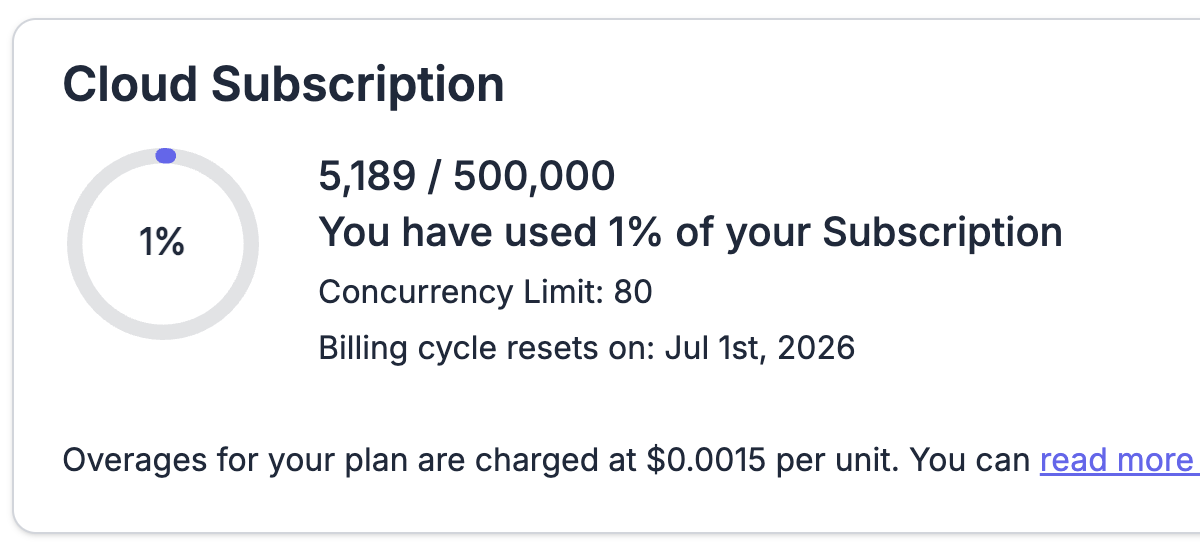
Cloud Subscription card. Shows units used against your allowance for the current billing cycle, as a number and a percentage, plus your concurrency limit and the date the cycle resets. On paid plans it also shows your per-unit overage fee and your overage spend limit, with a Manage spend limit link to Billing. Free plans have no overages, so requests are rejected once your units run out.
Export data. Click the download icon above the chart to open Export Metrics. Choose a Time Range (Last 7 Days, Last Month, or Last Year) and a Format (CSV or JSON), then click Export to download the file.
API keys
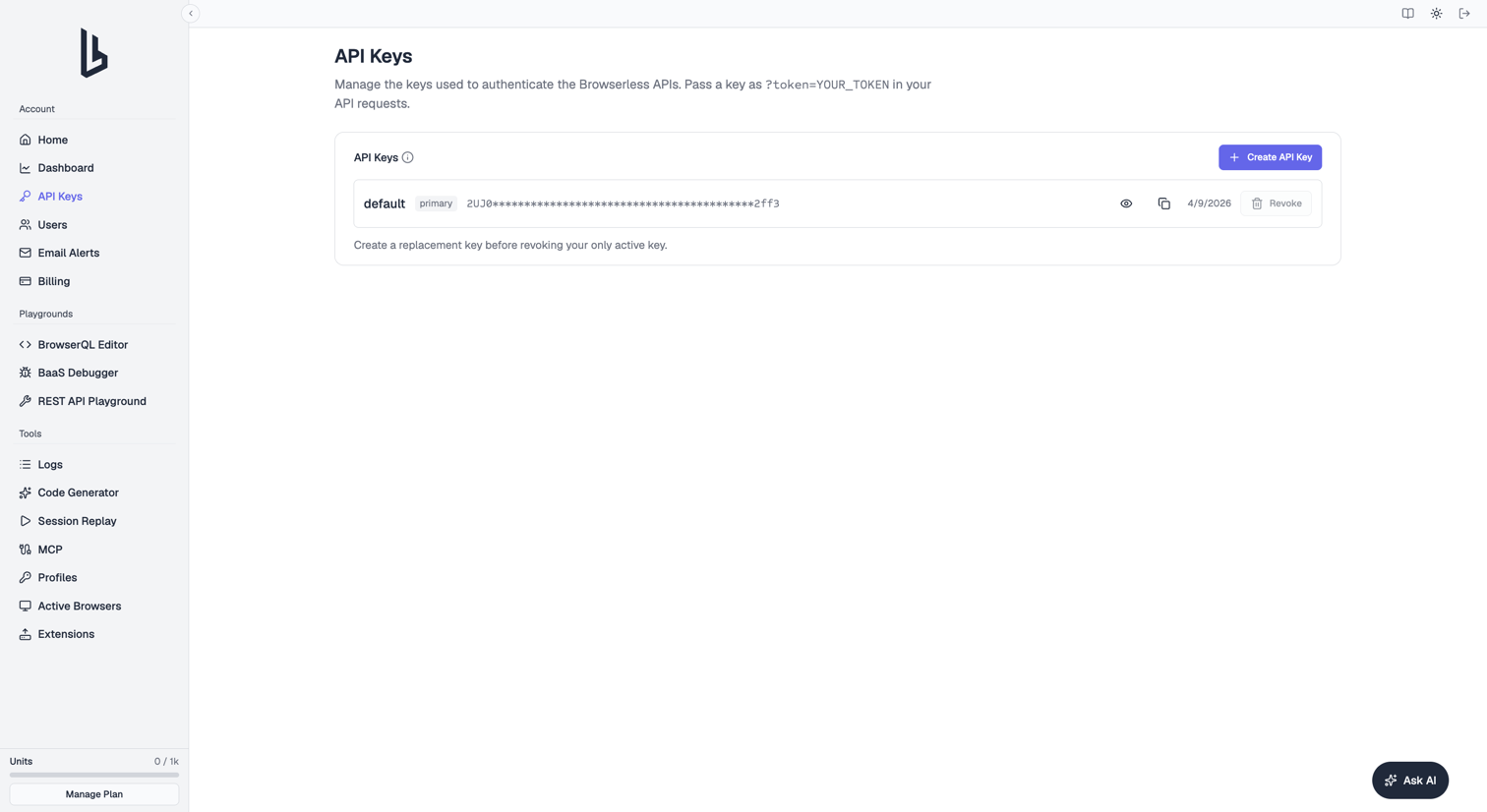
API Keys lists every active token on your account with its name and creation date. From here you can:
- Create a named token per application, environment, or teammate. The full token is shown only once, so copy it right away.
- Copy or reveal a token.
- Revoke a token you no longer need. Revoking takes effect immediately.
Only owners and admins can create or revoke tokens, you can hold up to 20 tokens, and you can't revoke your last remaining one. See API token management for rotation steps and best practices.
Users
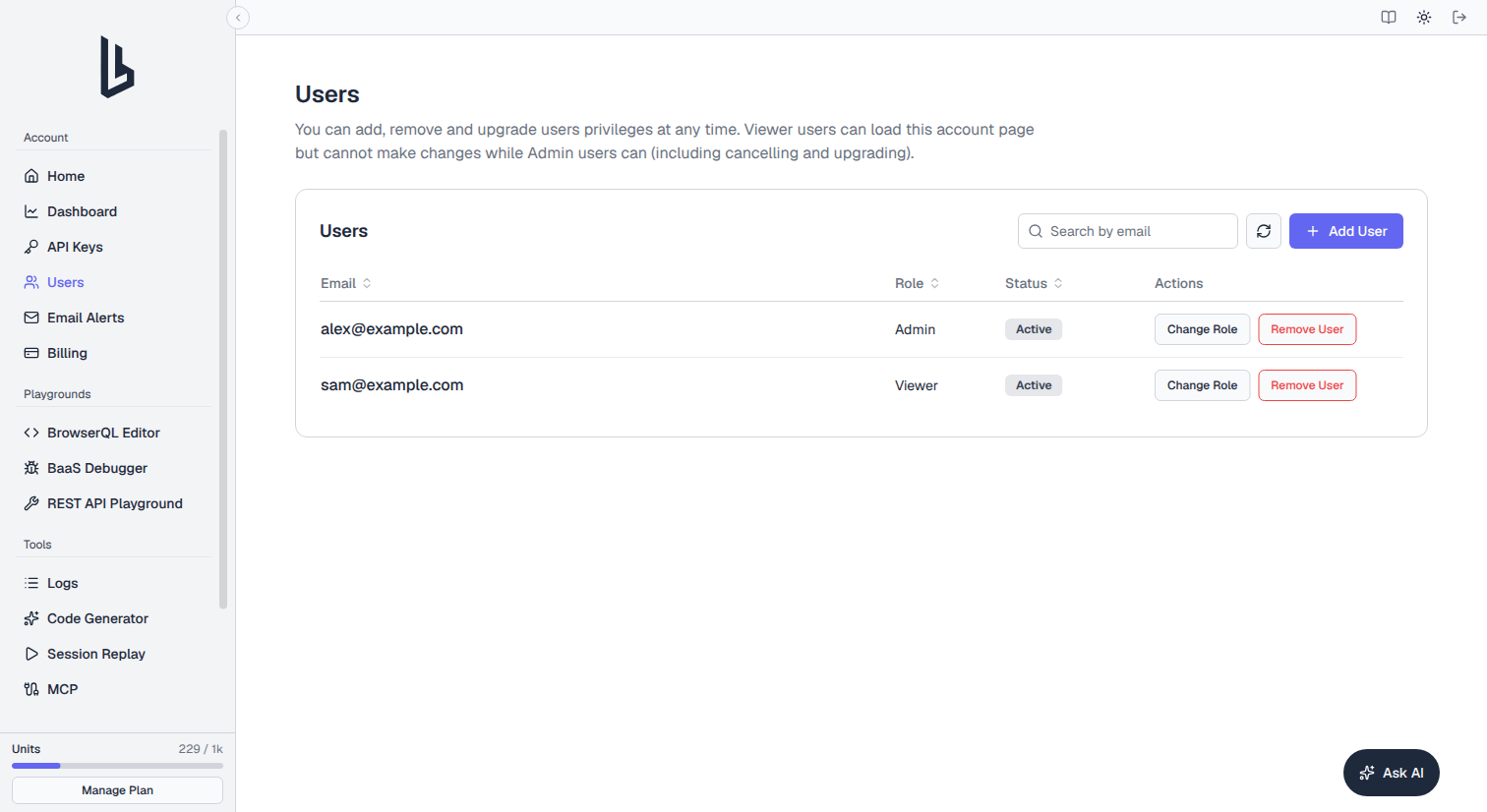
Users lets you share your account with teammates so they log in with their own email instead of sharing credentials. The table shows each user's Email, Role, and Status (Invited or Active).
- Click Add User To Account, enter their email, and pick a role:
- Admin: can manage users, API tokens, and alert emails
- Viewer: can see the dashboard but can't change account settings
- Use Copy invite link to resend an invitation manually, or the edit and delete actions to change a user's role or remove them.
Email alerts
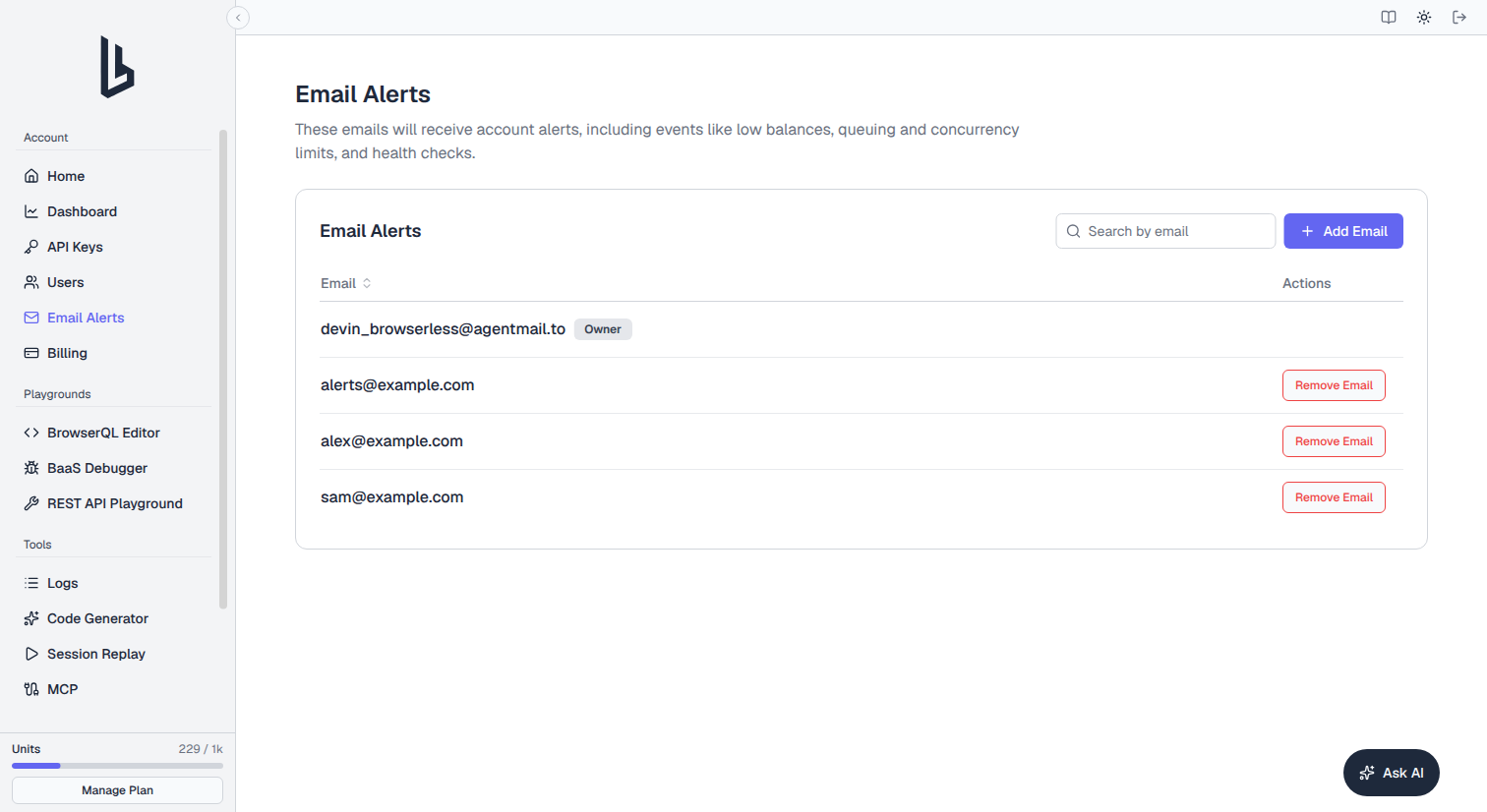
Email Alerts controls who gets account notifications, such as low unit balances and hitting queueing or concurrency limits. The account owner always receives alerts and can't be removed.
- Click Add Email to send alerts to another address. It doesn't need to belong to a dashboard user.
- Click Remove Email to stop alerts to an address. Removing a teammate here only stops their alerts; they keep dashboard and API access.
Billing
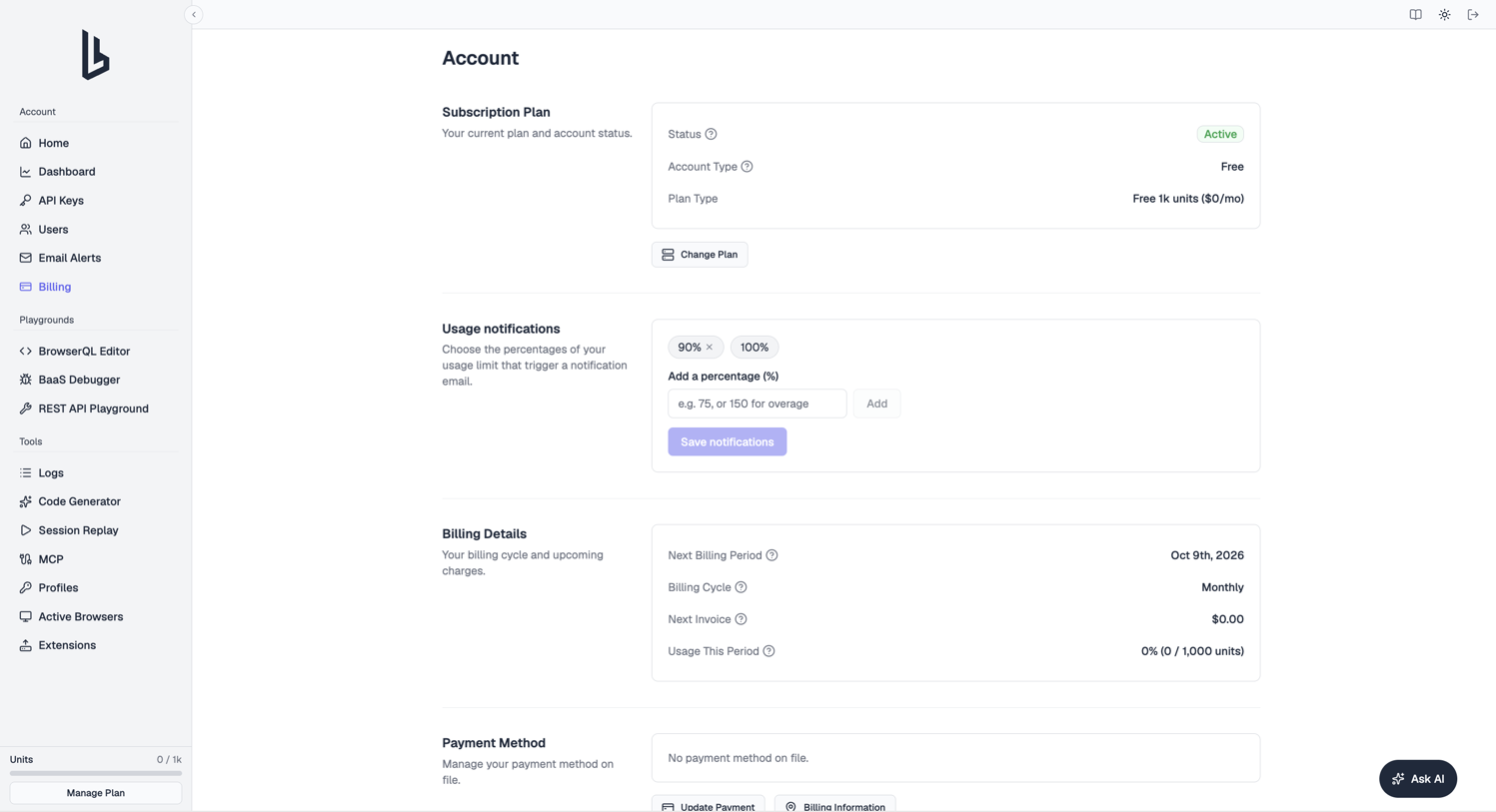
Billing (at Account Settings) holds your plan, payment, and account details:
- Subscription Plan: your account status, account type, and plan.
- Overage spend limit (paid plans): set a Max overage per billing period ($). Once you reach it, new sessions pause while running ones finish, and the limit resets each cycle. Use this to cap surprise bills from a runaway script.
- Usage notifications: add percentages of your allowance (for example
75, or150to be warned during overage) that trigger a notification email. - Billing Details: billing cycle, credit, next invoice, usage this period, and your overage fee.
- Payment Method: update the card on file.
- Invoices & Receipts: date, amount, and a receipt link for every charge.
- Account Management: update your account email, or cancel and delete the account.
Closing your account
Click Cancel Account under Account Management. This cancels your subscription, and the account shuts down at the end of the current billing period. You can undo it any time before then with Undo Cancellation. Once cancelled, a Delete Account button appears, which permanently deletes the account. If your account is managed by a partner, contact them to cancel instead.
Playgrounds
BrowserQL editor
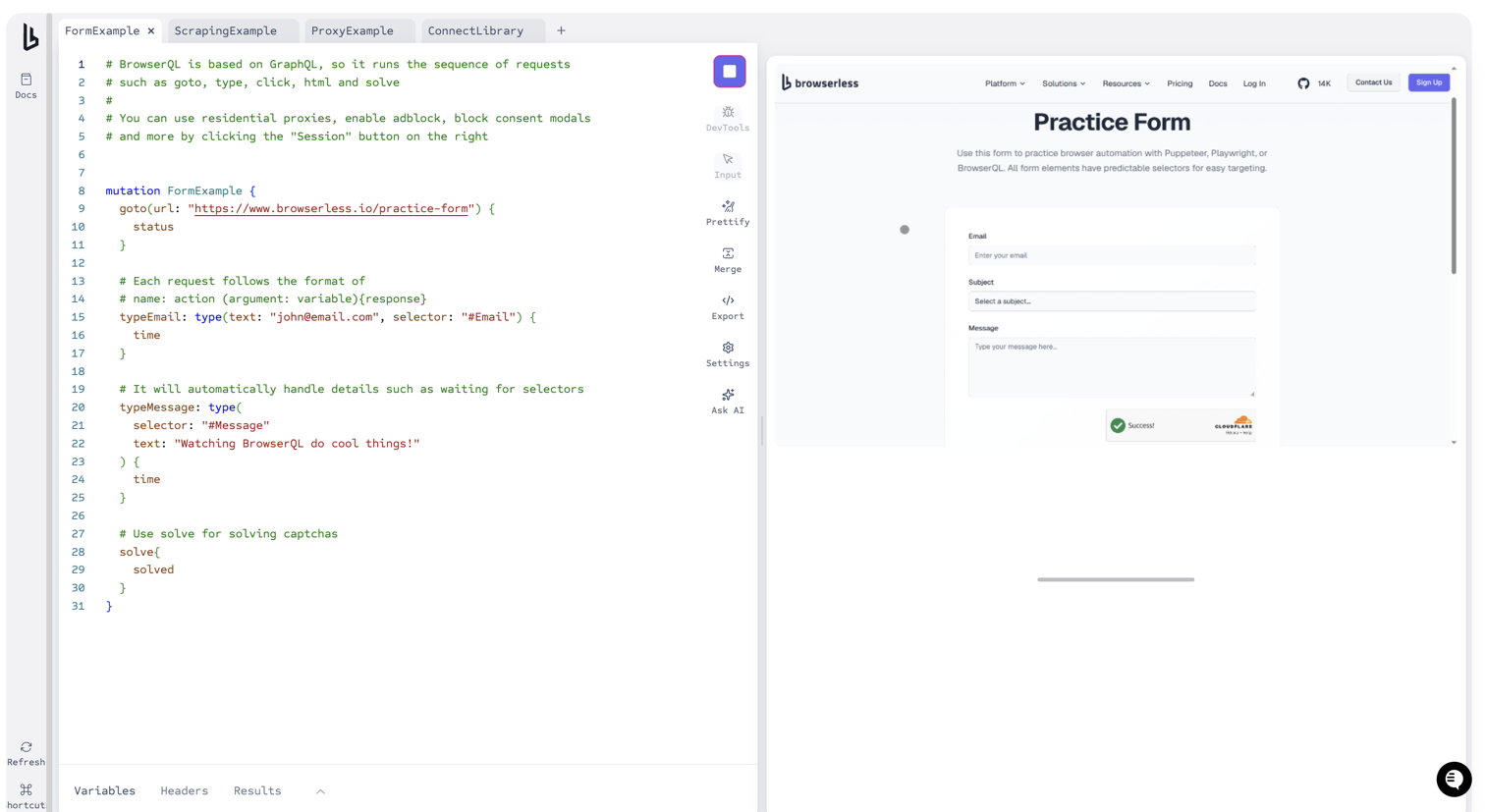
An in-browser IDE for writing and running BrowserQL queries against real browsers.
- Autocomplete: GraphQL editor with inline suggestions for every mutation and argument
- Live execution: run a query and watch the browser as it executes
- Save and share: store queries and share them with your team
BaaS debugger
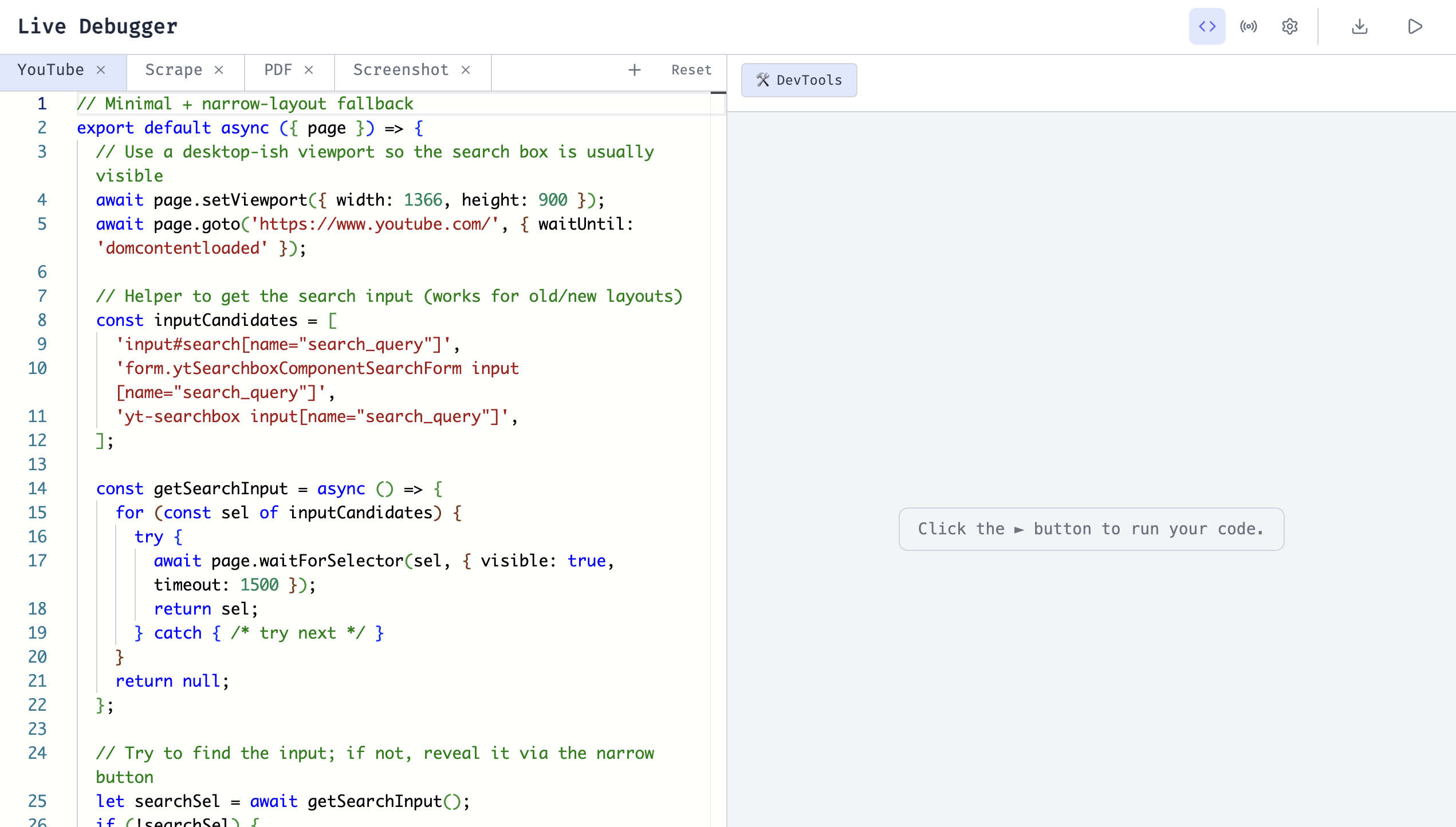
A live code editor and runner for Browsers as a Service (BaaS) scripts with a real-time browser preview. Toggle between Puppeteer and BAP at the top of the editor. Use it to prototype a script before moving it into your own codebase or the /function API.
- Code editor: write scripts with syntax highlighting, with starter tabs for scraping, PDFs, and screenshots
- Live preview: watch the browser execute your code in real time
- Export: download your script as a complete Node.js project
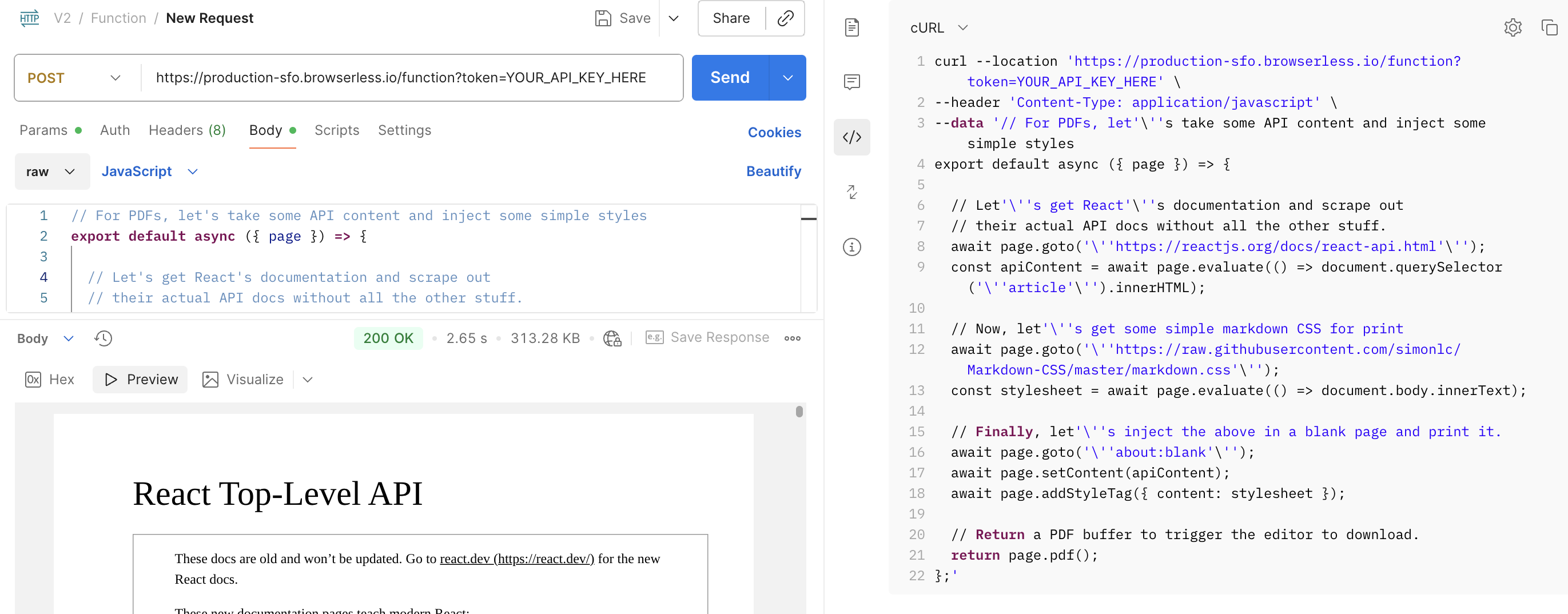
If you'd prefer not to install Puppeteer locally, send your debugger code directly to the /function API as an HTTP request. This lets you run your code through clients such as n8n, Make, Zapier, or any conventional HTTP tool.
REST API playground
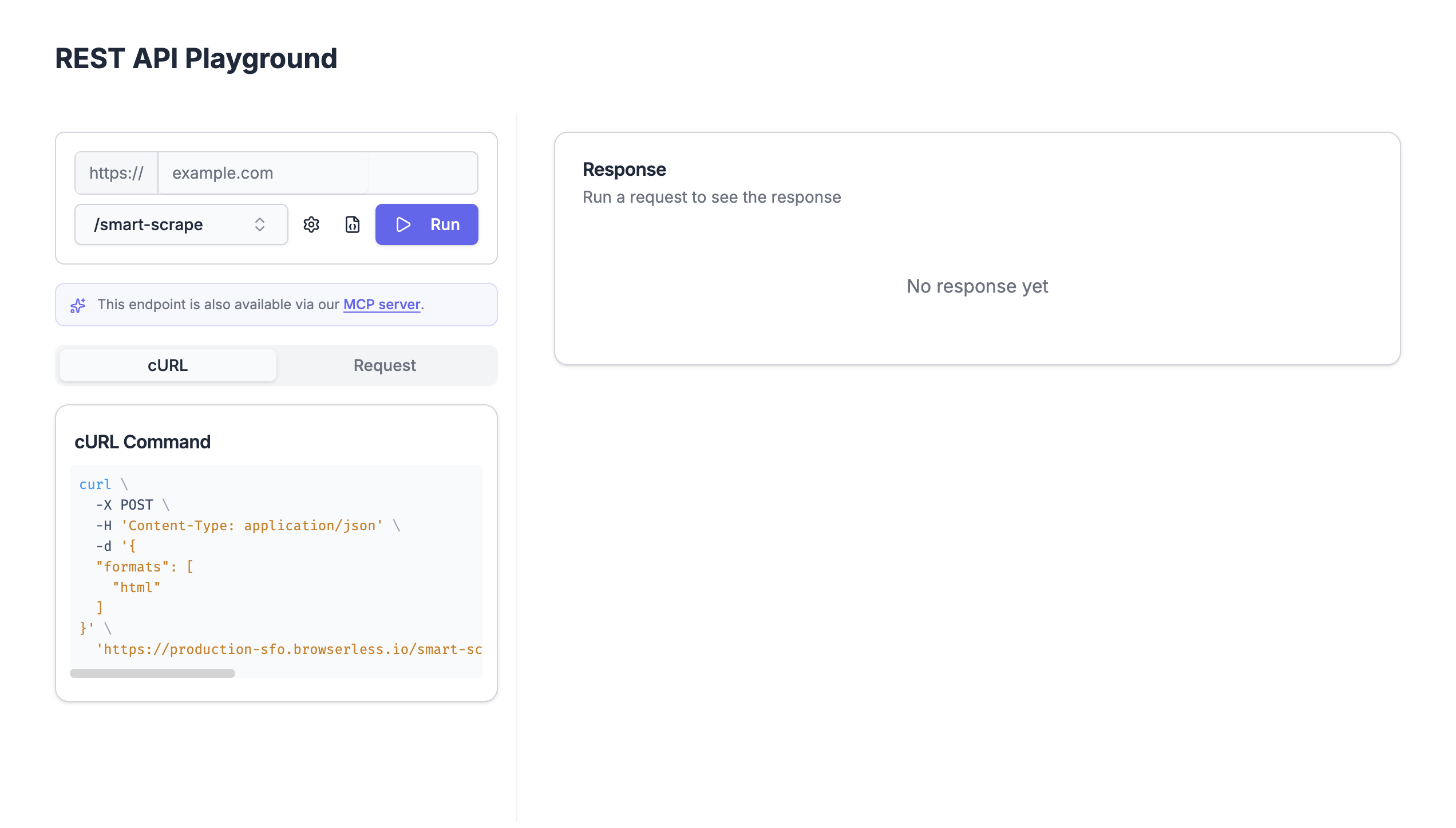
An interactive tester for REST API endpoints, generated from the OpenAPI spec. See the API Playground guide for a full walkthrough.
- Endpoint picker: choose from endpoints such as smart-scrape, function, download, export, search, map, and crawl
- Request configuration: set the browser (Chromium, Chrome, or Edge), region, and API token
- Live execution: send the request and view the formatted response
Tools
Logs
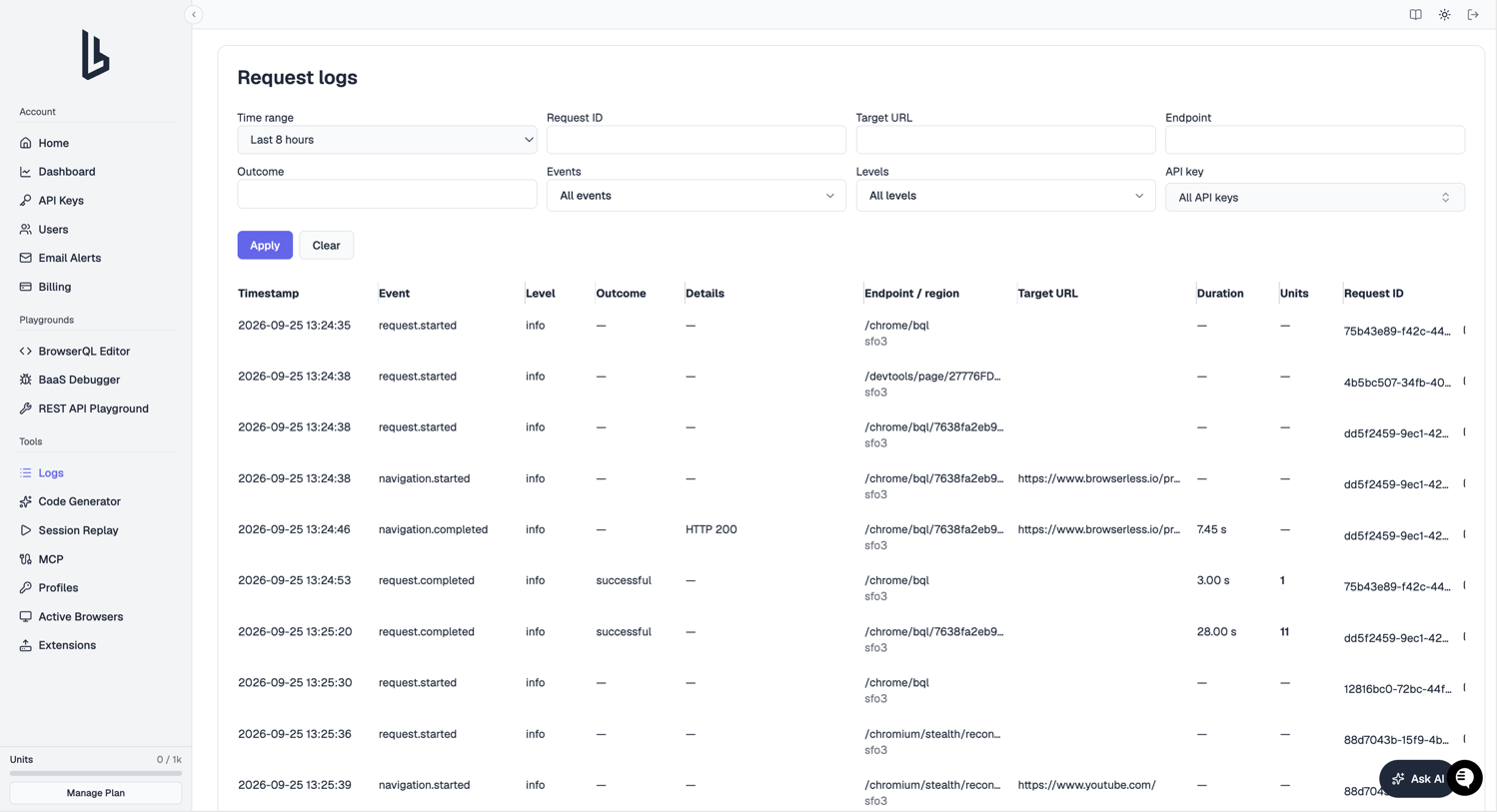
A searchable feed of per-request logs for your account. See the Request Logs guide for a full walkthrough.
- Request lifecycle events: completions, failures, navigations, and BrowserQL errors with levels and outcomes
- Filters: narrow by time range, request ID, target URL, endpoint, events, levels, or API token
- Usage details: per-request duration and unit consumption, broken down across time, proxy, captcha, and agent units
Code generator
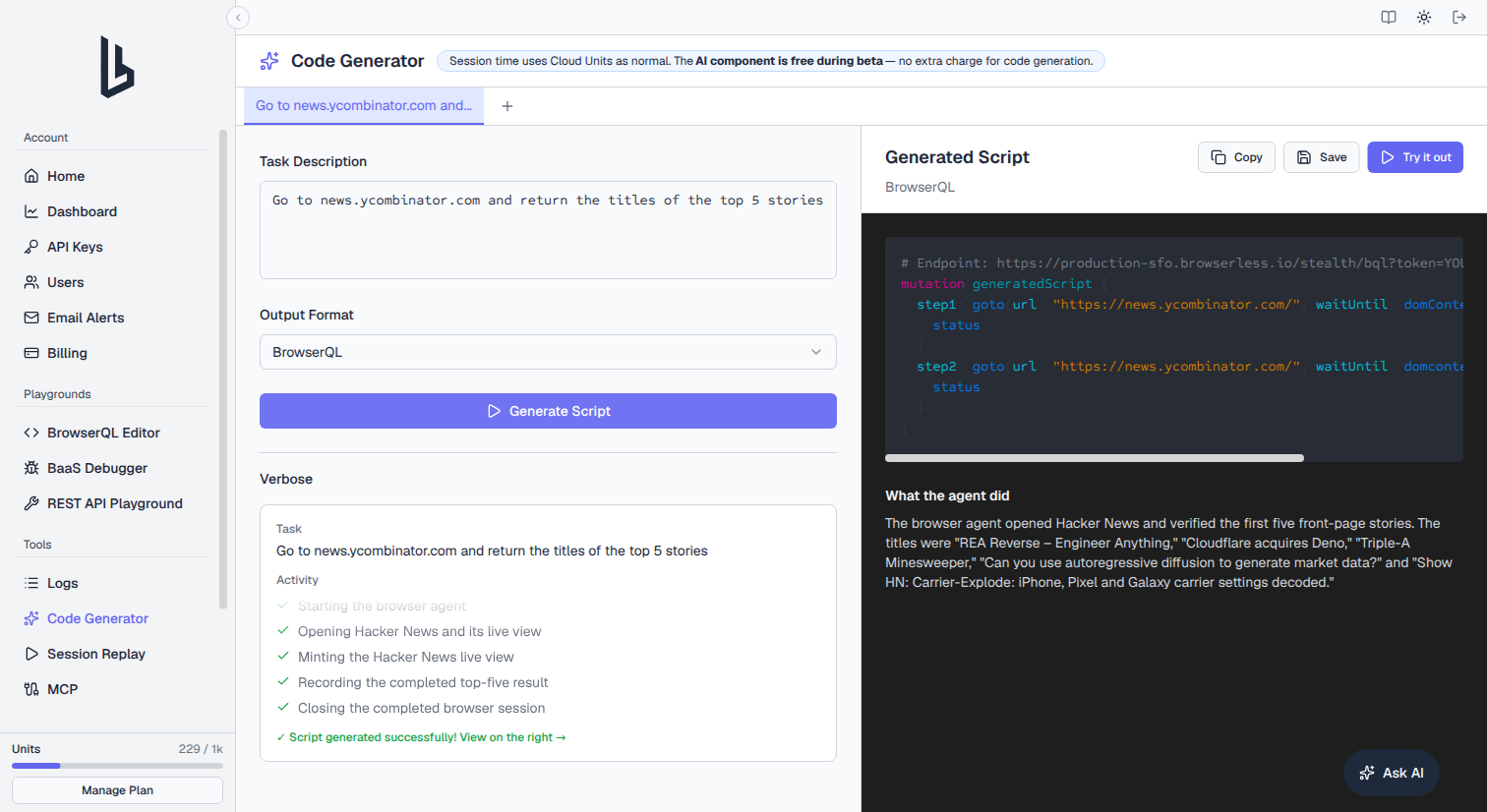
An AI code generator that writes browser automation scripts from a plain-language description. It's rolling out gradually, so you might not see it in your sidebar yet.
- Natural language input: describe what you want to automate
- Format selection: generate BrowserQL, JavaScript (Playwright), or Python (Playwright)
- Live browser preview: watch the AI drive a real browser while it builds the script
Session replay
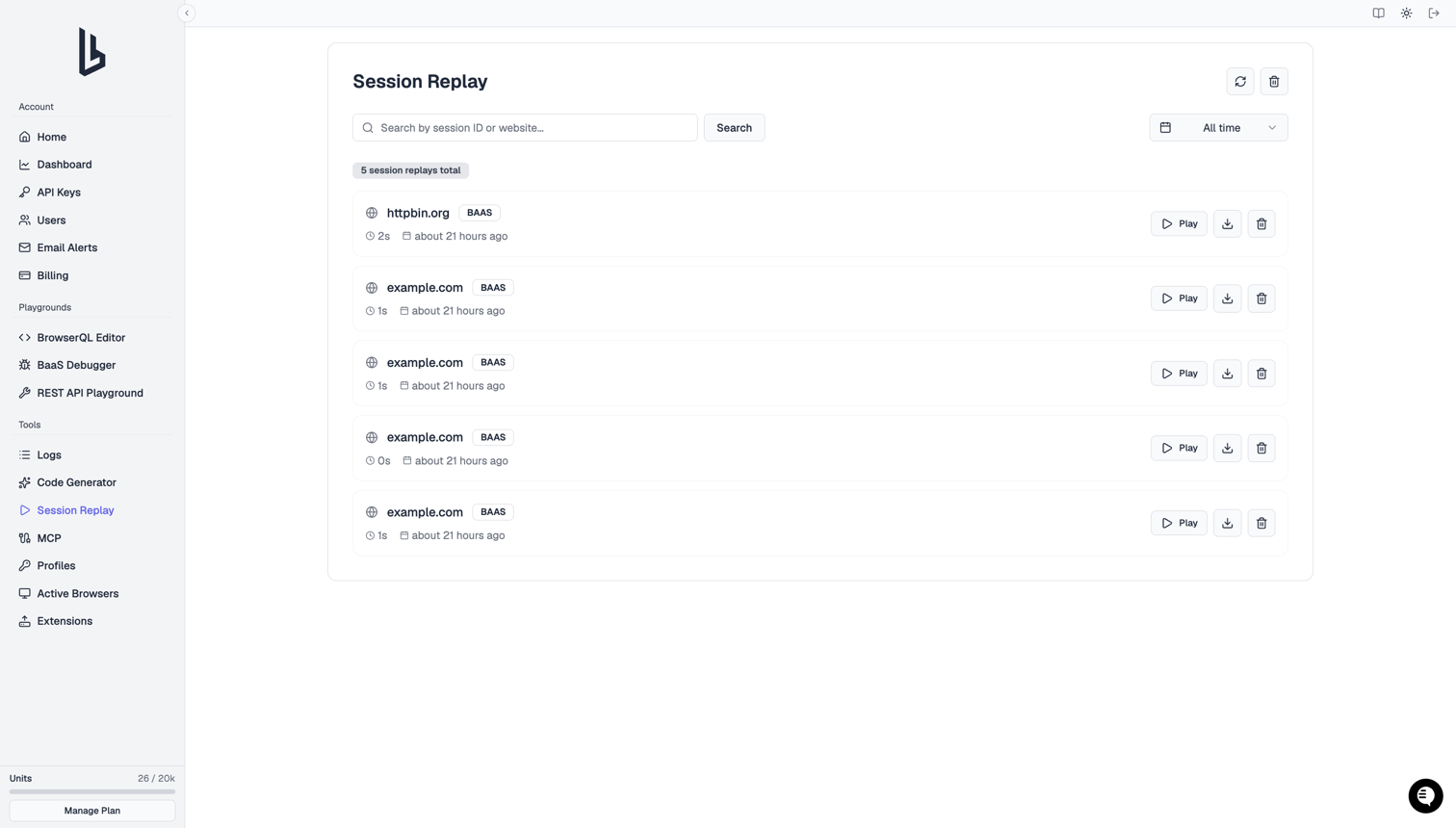
Recorded browser sessions you can replay and debug as interactive DOM replays.
- Search and filter: find sessions by ID or website, filtered by date range
- Playback controls: replay sessions on a timeline in a dedicated player
- Download options: export as a standalone HTML player or raw rrweb JSON
MCP
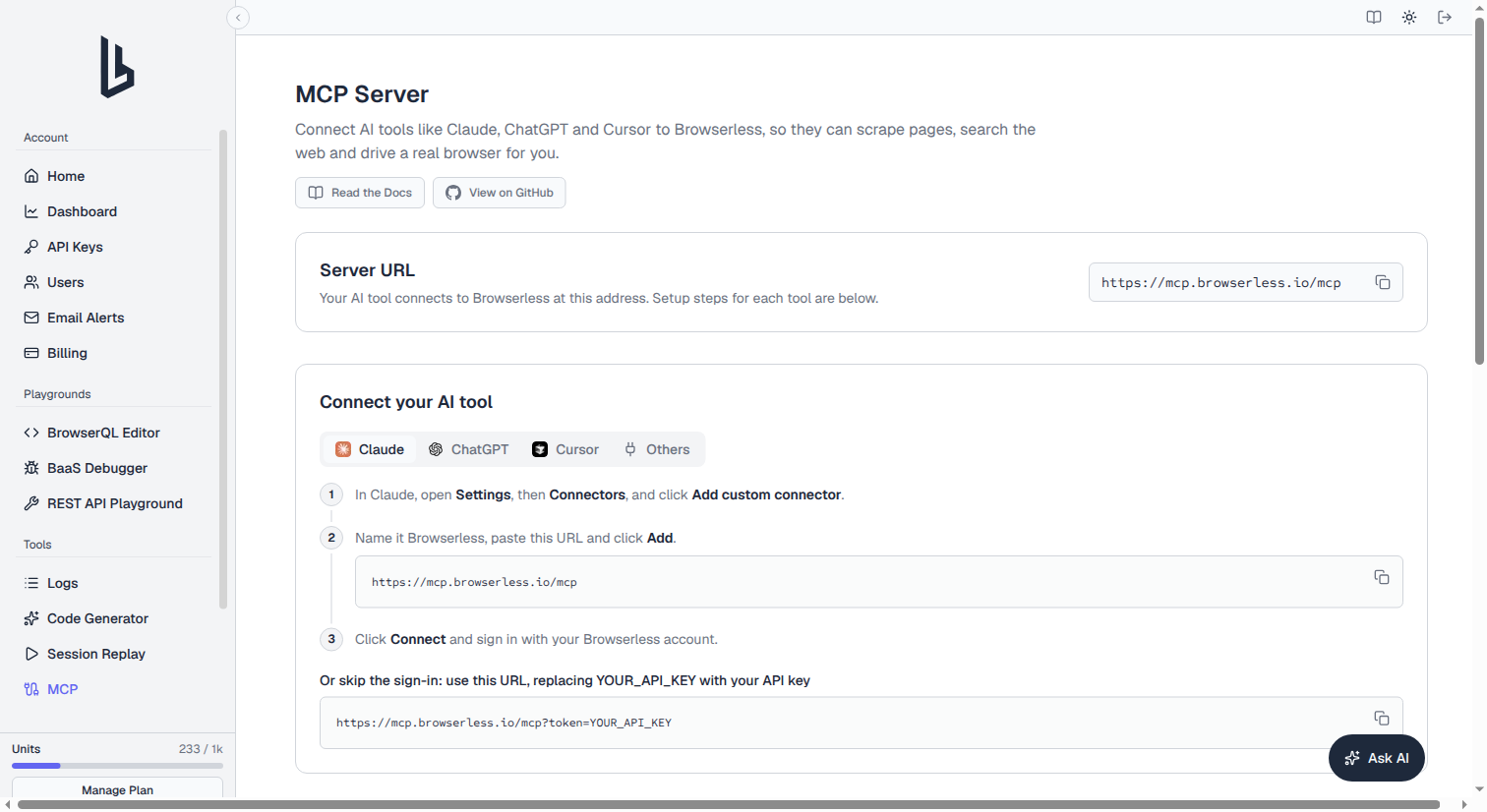
Setup for the Browserless MCP Server, which lets AI tools like Claude, ChatGPT, and Cursor scrape pages, search the web, and drive a real browser through Browserless.
- Server URL: the MCP server address, with a copy button
- Connect your AI tool: step-by-step setup for Claude, ChatGPT, Cursor, and other MCP clients, including a config snippet and a copy button for your API key
- Available tools: the MCP tools your AI tool can call, such as smart scraping, search, crawling, and the browser agent
- Things to try: example prompts you can copy into your AI tool
- Docs and GitHub links: shortcuts to the MCP documentation and the open-source repository
Profiles
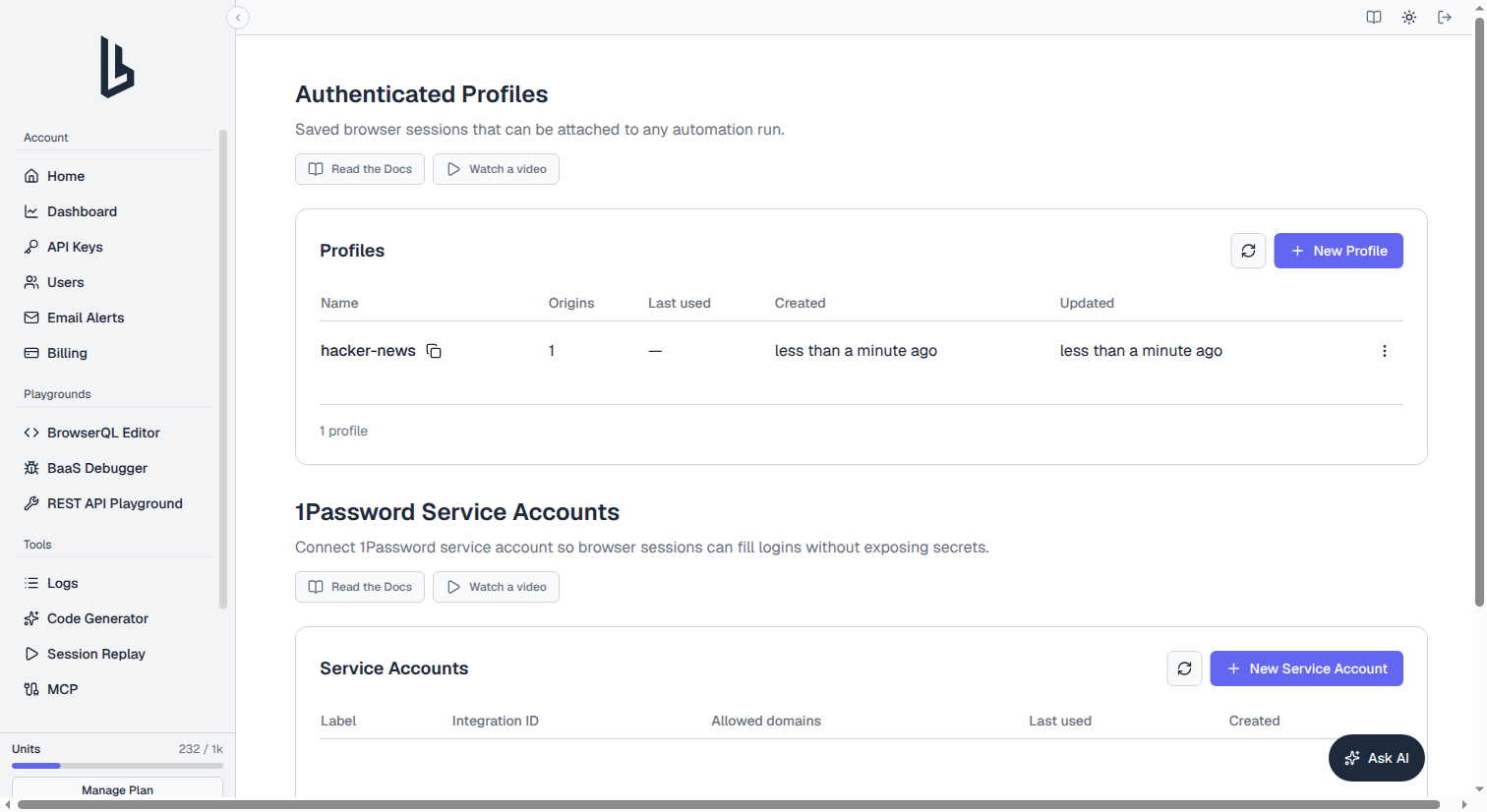
Saved browser state (cookies and authentication data) you can attach to any automation run so it starts already logged in.
- Interactive creation: launch a live browser, log in to a site, and save the session as a profile
- Profile management: create, rename, and delete profiles across your account
- Attach to runs: use a saved profile to skip repeated login steps
Active browsers
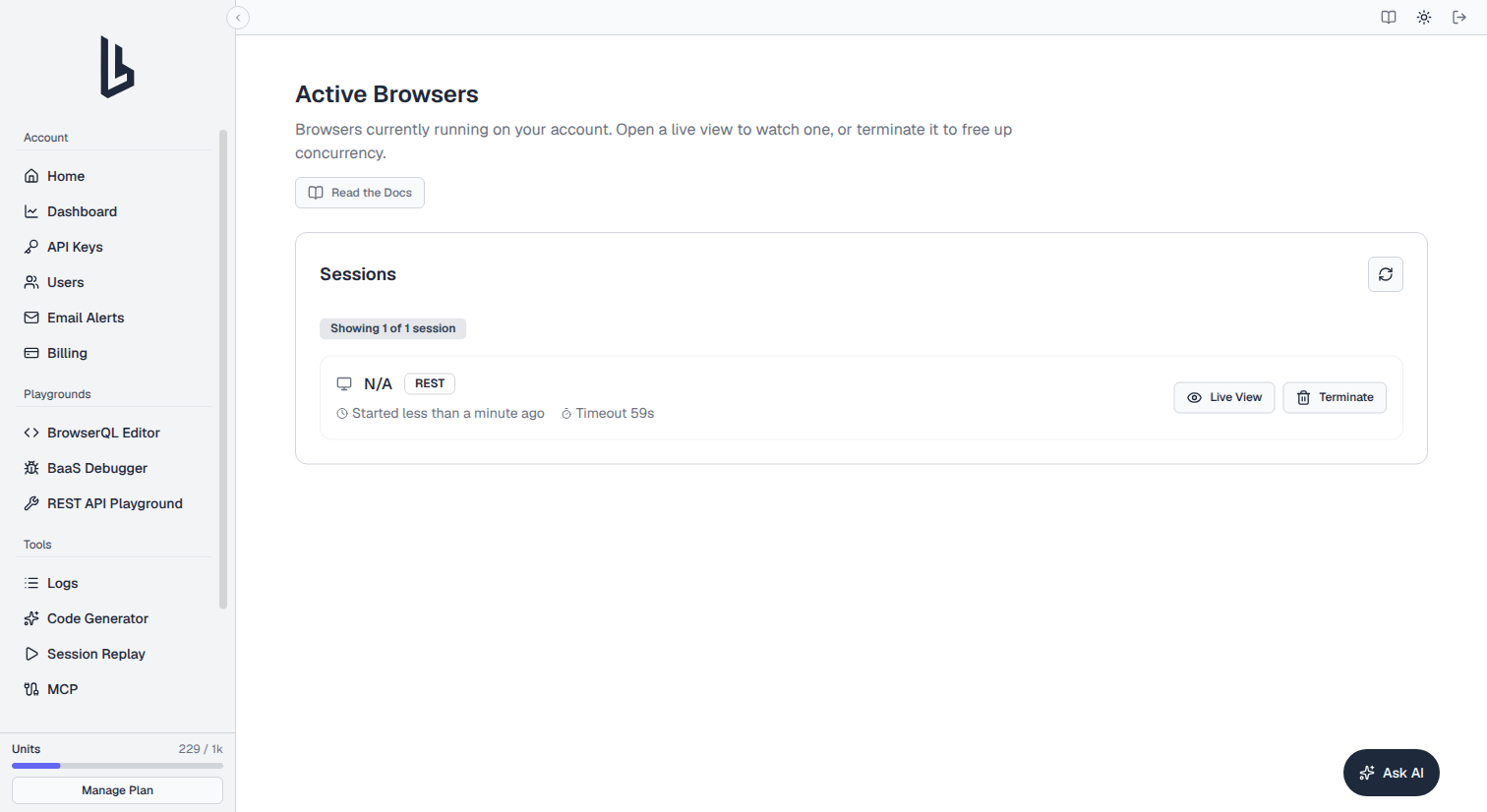
Sessions running on your account right now.
- Session list: browser type, start time, and timeout for each session
- Terminate sessions: stop a running session after a confirmation prompt, useful for killing a stuck script that's still consuming units
- Status indicators: session status and type badges at a glance
Extensions
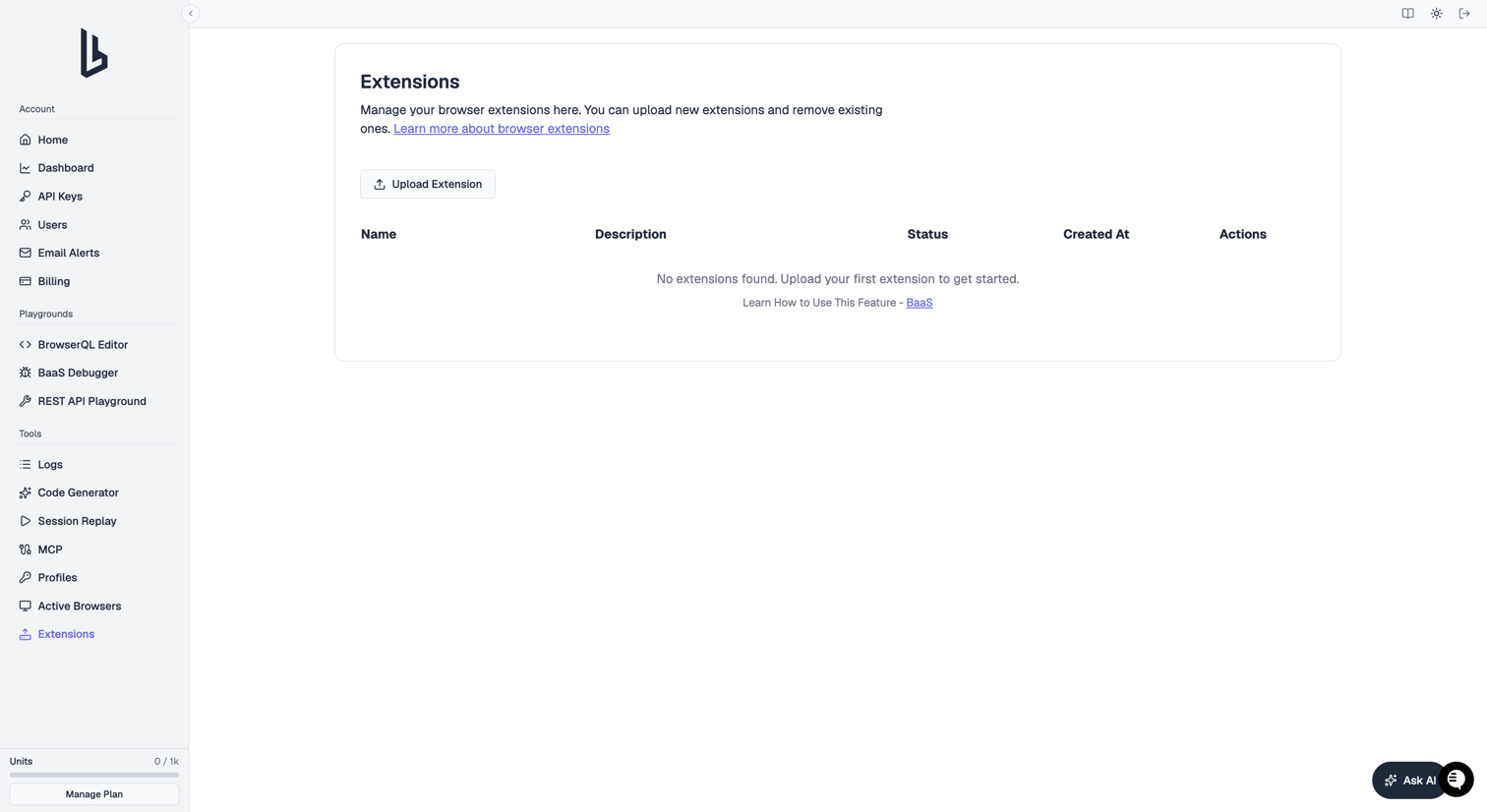
Chrome extensions you can load into your Browserless sessions.
- Upload extensions: upload a ZIP of a Chrome extension (Manifest v2 or v3) with a name and description
- Extension list: every uploaded extension with its name, description, status, and creation date
- Launch integration: enable an extension in a session by adding it to your launch options. See Browser extensions.
FAQ & Troubleshooting
Why don't I see some pages in my sidebar?
Code Generator is rolling out gradually, so it isn't in every account's sidebar yet. Other pages, such as Persistent Sessions and Clusters, only exist on dedicated plans and aren't covered here.
Why can't I create API tokens, invite users, or add alert emails?
Your role is Viewer. Only the account owner and admins can make those changes. Ask your account owner to change your role on the Users page.
My dashboard numbers don't match what I expected. Why?
Check the time window and API token picker above the chart. The chart defaults to Last Hour and can be scoped to a single token. For the full billing-cycle total, use the Cloud Subscription card instead.
Why are my requests being rejected?
You've hit your plan's concurrency limit, or your free plan has run out of units. Check Peak concurrency and the Cloud Subscription card on the Dashboard page, then close idle sessions from Active Browsers or upgrade from the sidebar's Upgrade Plan button.